Features

CADian as a modern IntelliCAD-based CAD solution

A key technical foundation of CADian is the IntelliCAD engine on which the system is built.
As a member of the IntelliCAD Technology Consortium (ITC), CADian uses the jointly developed CAD platform that ensures high DWG compatibility, modern development standards, and continuous advancement. This gives CADian the same technical foundation as many other international CAD solutions within the ITC and highlights the stability and performance of the software.
Familiar User Interface

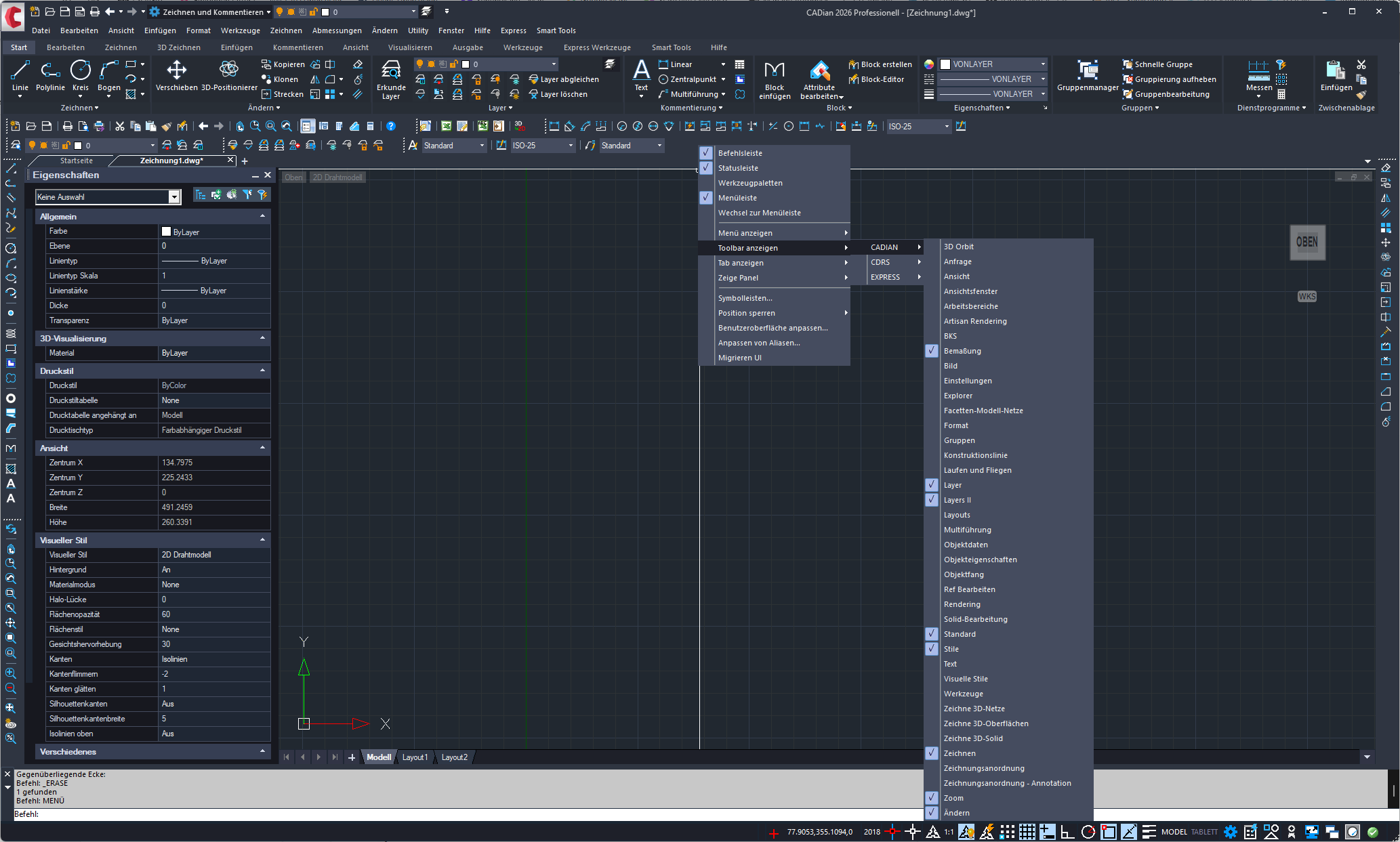
Classic Menus

By right-clicking on the menu bars, tool palettes, toolbars, and similar elements can be managed.

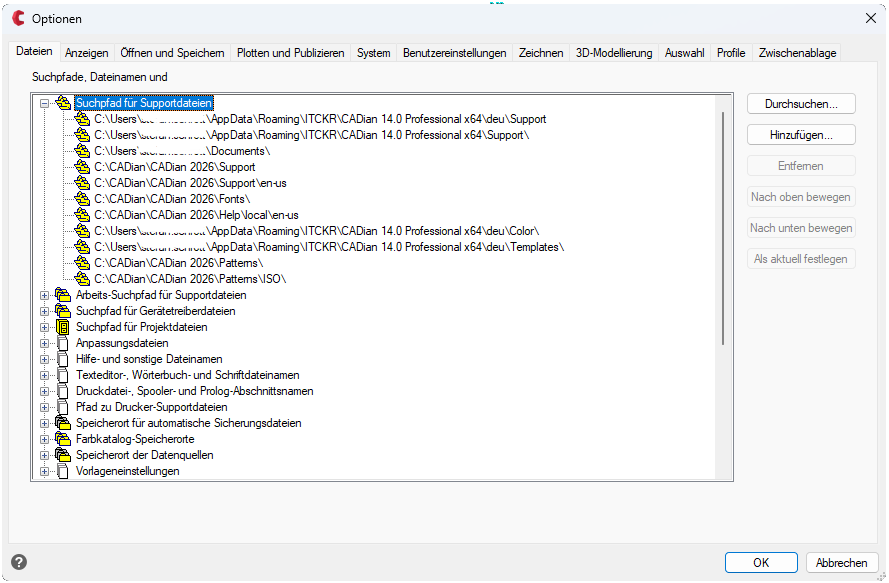
Options

Under Options, the basic program settings can be defined, influencing both workflow behavior and display.

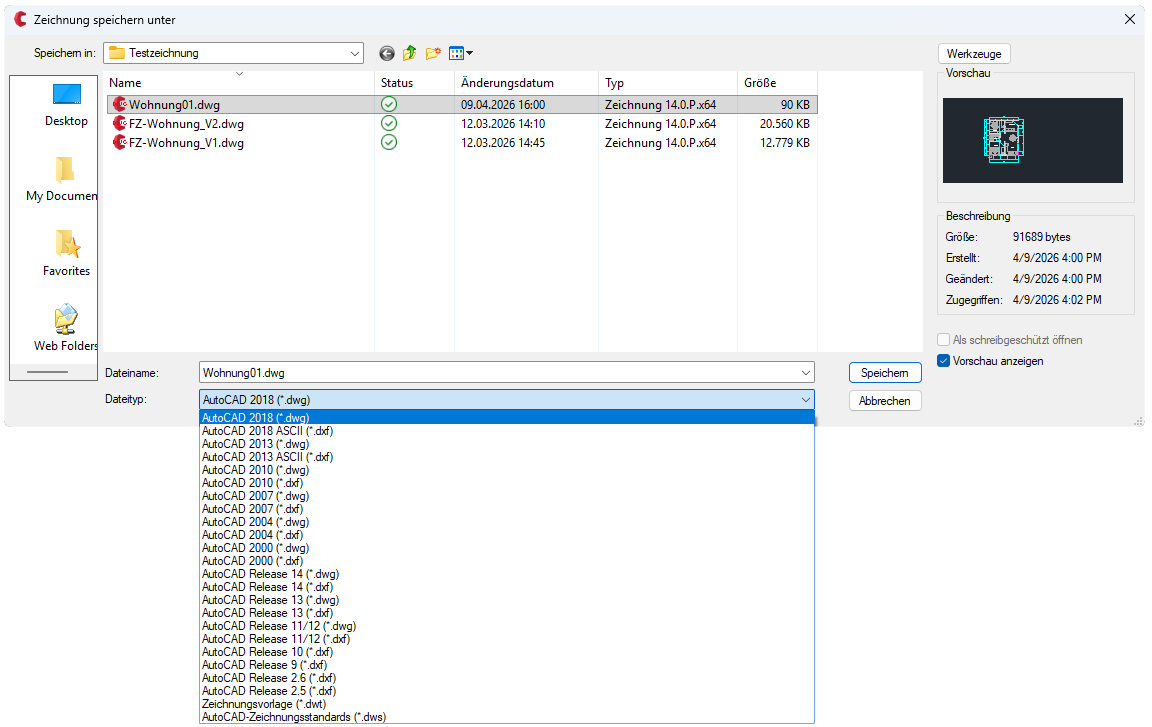
Save as

CADian works in the DWG format and supports all file versions back to Release 11/12.

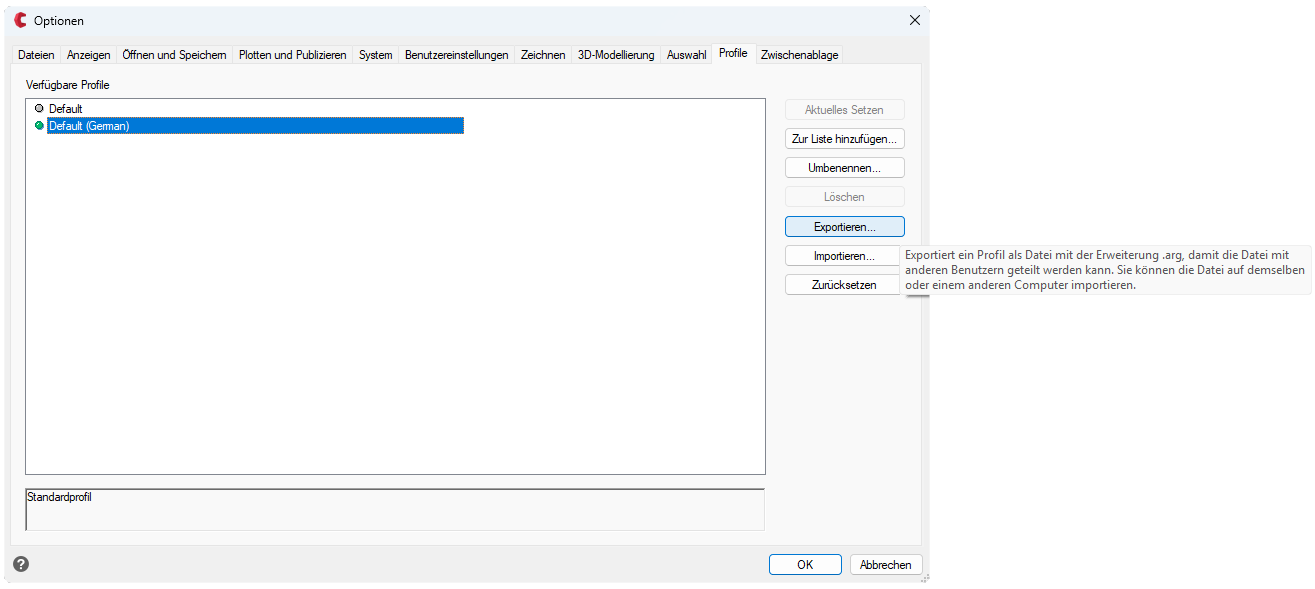
Save Profiles

User settings can be saved and transferred in different profiles (.arg). This feature is also available in the Classic version.

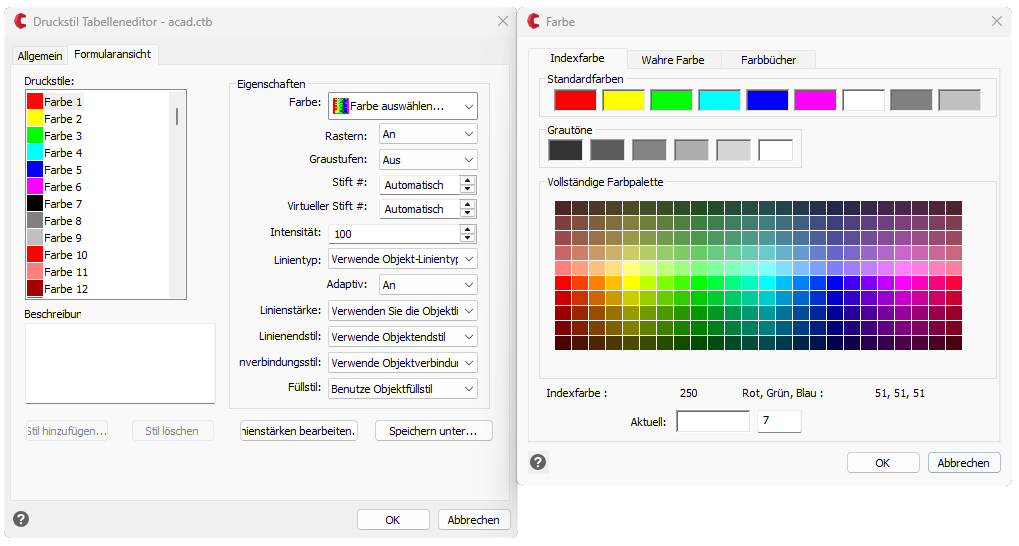
Plot Style Tables

Plot styles control how your drawings appear when printed—from lineweights and colors to linetypes.

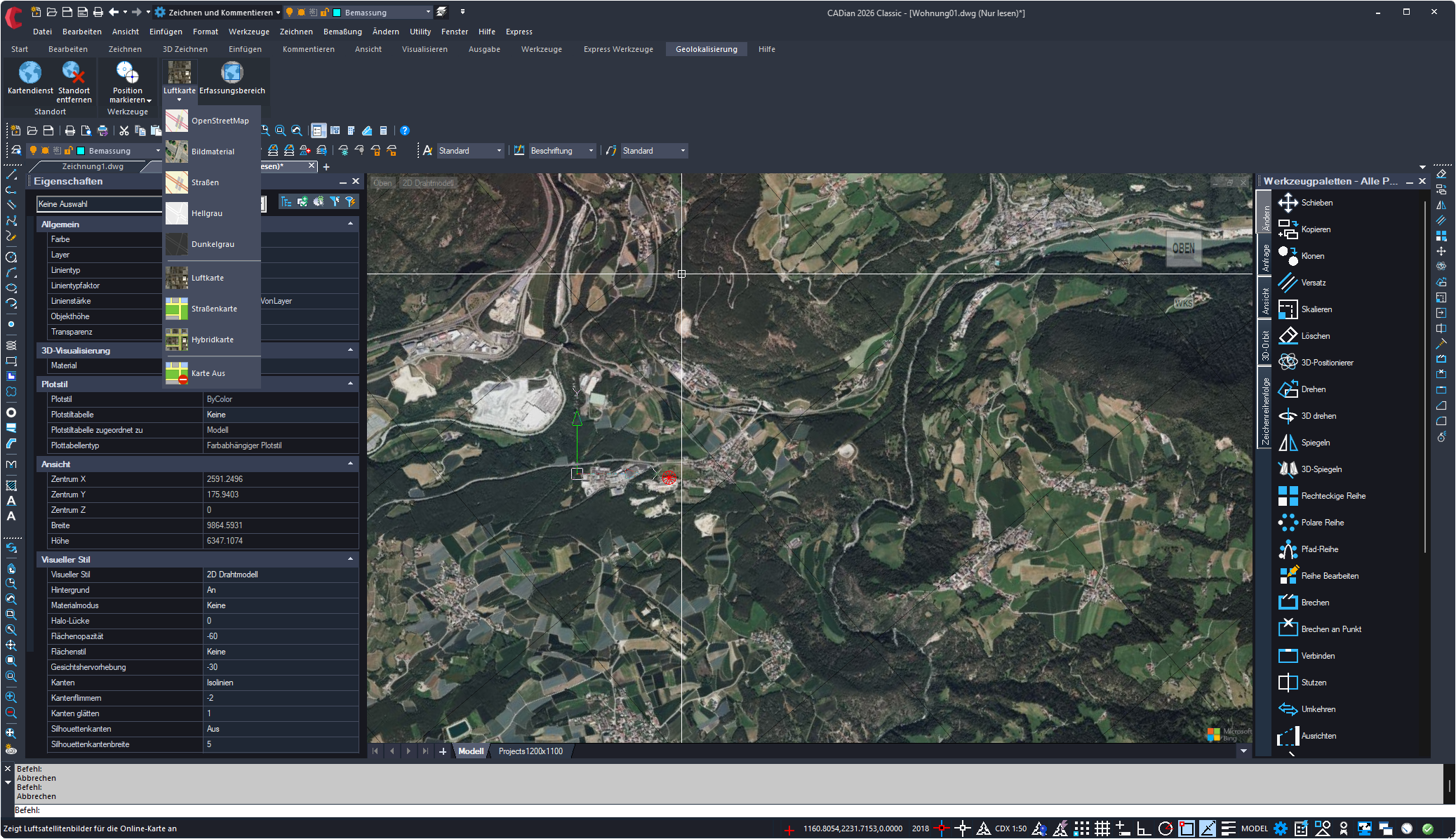
Aerial Imagery

Aerial images can be loaded with just a few clicks.

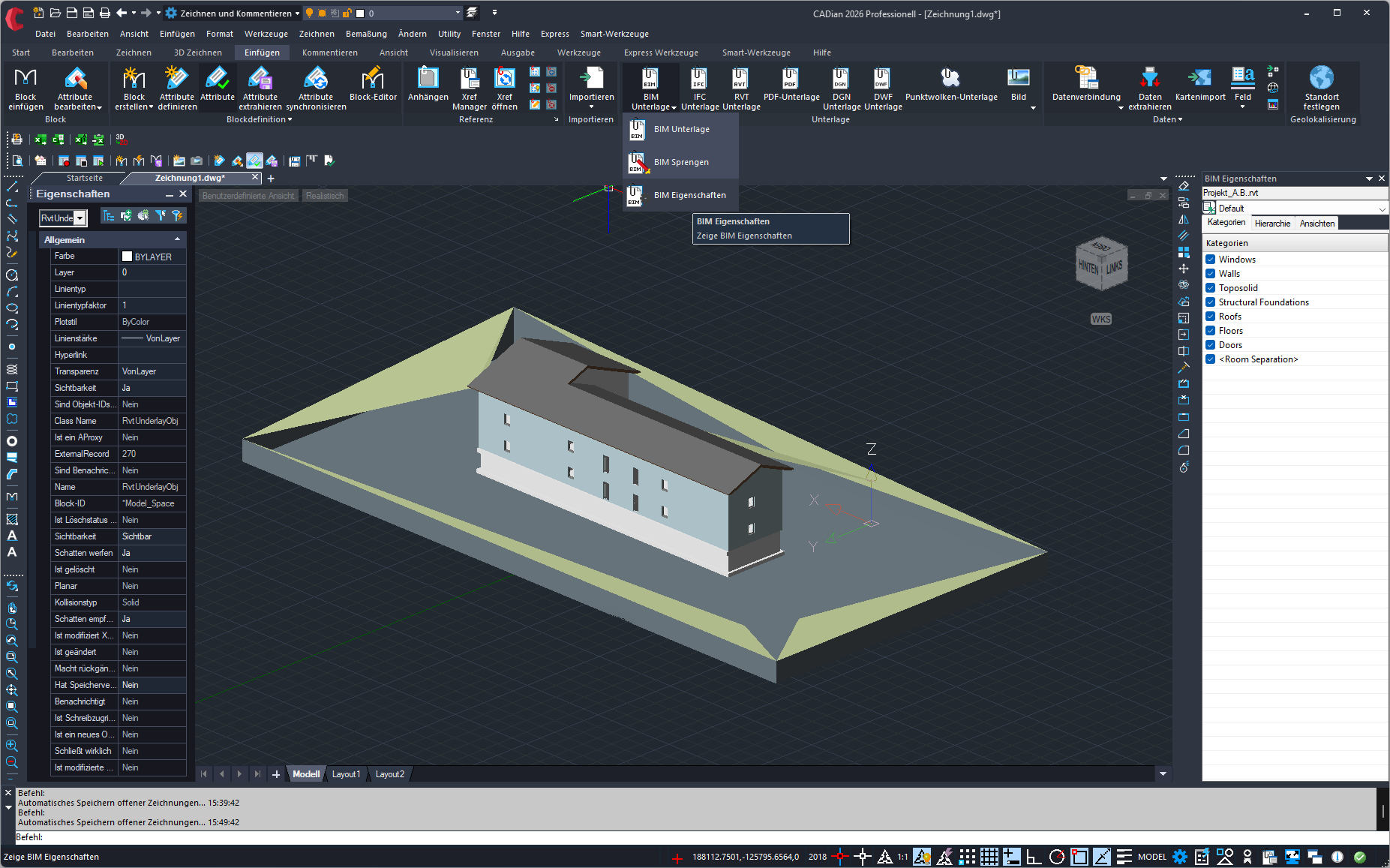
Revit underlay

Revit underlays can be linked in CADian Pro.

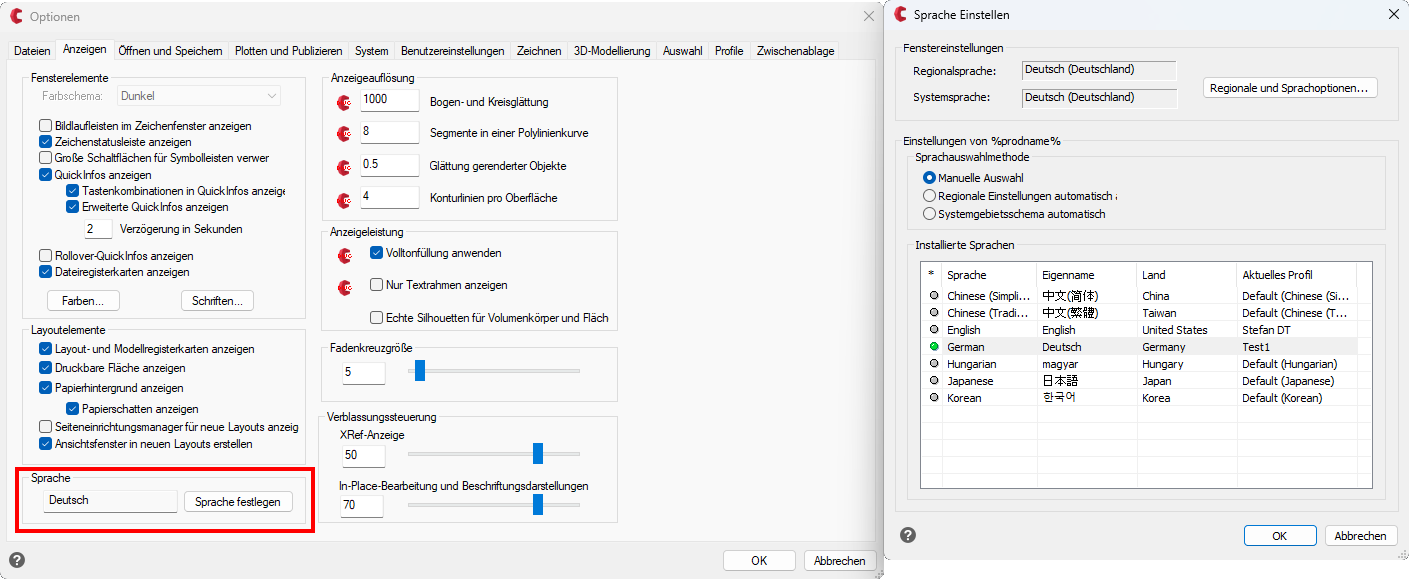
Change Language

The language can be changed in the general options.

What’s New in Version 2026

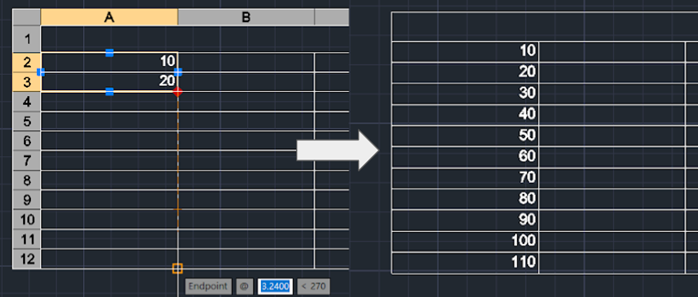
Tables Autofill

Tables can be auto-completed similar to Excel.

Automatic dimensioning

Dimension components with just a few clicks.

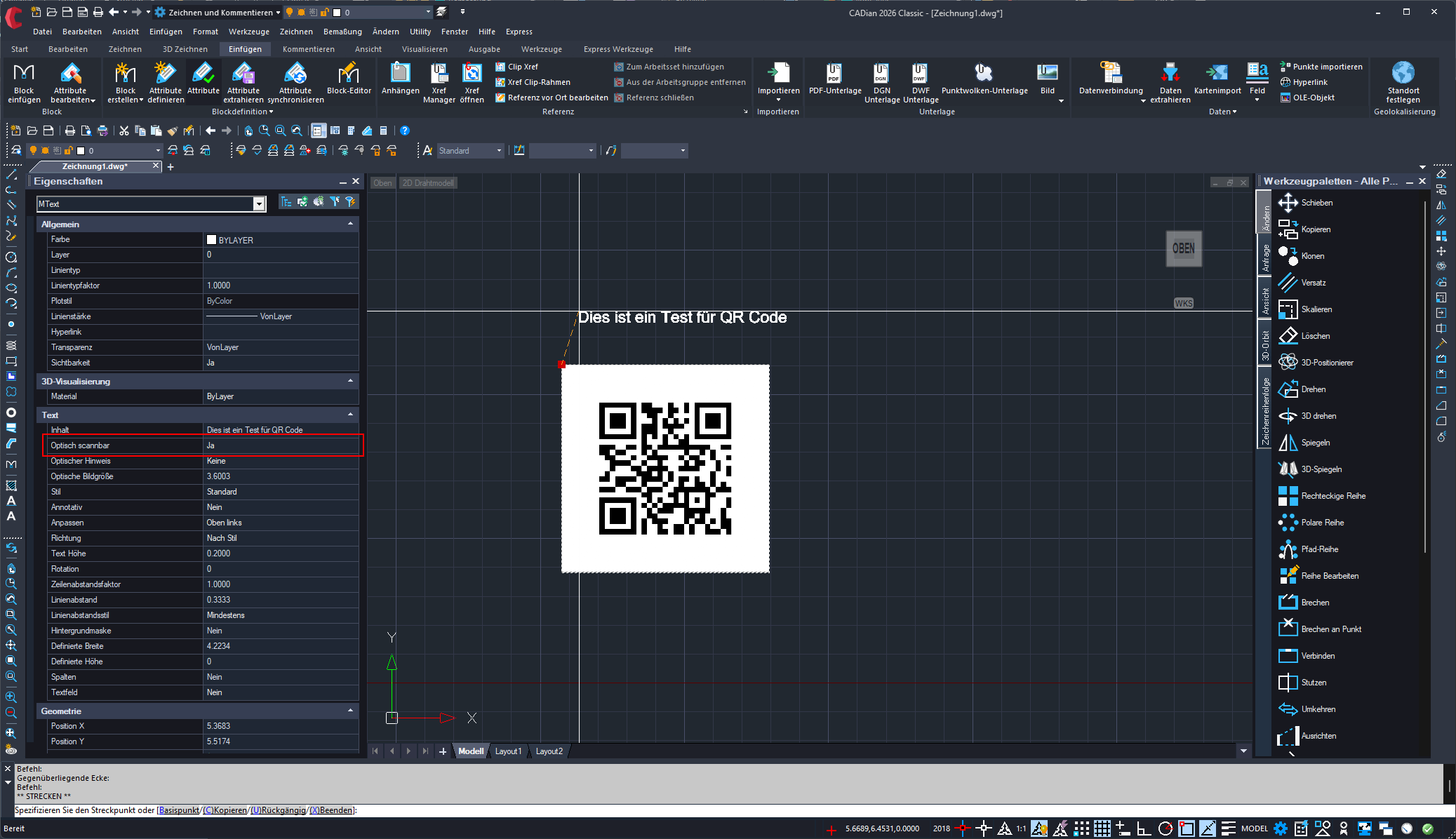
QR Generator

MText and multileader text can be displayed as QR codes.

Detail View (DETAIL)

DETAIL: This command allows you to create an enlarged detail extract with just a few clicks.

Speed, Stability, and Intuitive Operation

As a globally established Korean CAD technology, CADian offers a compelling combination of speed, stability, and intuitive usability. The software is aimed at both companies and individual professionals who are looking for a powerful alternative to established CAD systems without compromising on functionality or compatibility.

In addition, European users benefit from a data protection advantage: a mutual adequacy decision exists between the EU and Korea, allowing personal data to be transferred between the two regions in compliance with GDPR without additional safeguards.

CADian vs ACAD

supported
not supported
partially supported
Import formats
CADian Classic
CADian PRO
ACAD LT
ACAD Full
DWG, DXF (R2.5 → Current Version)
DWS, DWT
PDF-, DWF-Import
DAE (3D Model Import)
IGES, STEP
Export formats
CADian Classic
CADian PRO
ACAD LT
ACAD Full
STL (3D Printing)
DGN (MicroStation)
WMF, EMF, JPG, BMP, SVG
IGES-Export
PDF Conversion
Data Extraction
User interface and workspace
CADian Classic
CADian PRO
ACAD LT
ACAD Full
Ribbon Interface
Classic Workspace
Design Center
Customizable User Interface (CUI)
Tool Palettes
Drawing Tabs
Command Completion
Dynamic UCS
Floating File Tab
Layer management
CADian Classic
CADian PRO
ACAD LT
ACAD Full
Layer Properties Manager
Layer State Manager
SETBYLAYER
Layer Filters
Layer History Records
Layer Merge
Layer Scanner
Advanced Cleanup (Super Cleanup)
Drawing & annotation
CADian Classic
CADian PRO
ACAD LT
ACAD Full
Leader & MultiLeader
Multiline Text (MTEXT)
Hatch and Gradient Sampling
Tables & Table Styles
Table AutoFill (Excel Style)
QR Code (MTEXT / LEADER)
Intelligent Dimensioning
Detail View Generator
Multiple Centerlines
3D modeling
CADian Classic
CADian PRO
ACAD LT
ACAD Full
POLYSOLID
CONVTOMESH / CONVTOSOLID / CONVTOSURFACE
Solid Editing
Visual Styles (Hidden / Shaded)
3DORBIT
Camera
Rendering
Blocks and external references
CADian Classic
CADian PRO
ACAD LT
ACAD Full
Dynamic Blocks
Block Editor
Insert Objects into OLE
Advanced OLE Copy Functions
Raster Images
External References (XREF)
Insert Multiple Blocks
Block Switching
Plotting & output
CADian Classic
CADian PRO
ACAD LT
ACAD Full
CTB and STB Plot Styles
Internal Printer Drivers
Batch Plot (MPlot)
Publish
Tools & CADian-specific features
CADian Classic
CADian PRO
ACAD LT
ACAD Full
Express Tools
Area Calculation
Excel Connector
Convert Excel Tables to Drawings
Automatic Font Conversion
File Encryption & Decryption
VLISP / VS Code Debugger
AI PDF Text Recognition (OCR)
Quick Select & Quick Calculator
Electronic Transmission (eTransmit)
  • User interface in the style of modern CAD systems
  • Command structure based on established CAD standards
  • Works in the DWG format and supports all current format versions
  • Available languages: English, German, Korean, Hungarian, Japanese, Chinese
  • Multiple output formats
  • LISP support
  • 2D functionality
  • 3D modeling
  • Open API interface
  • Open for various add-ons
  • Focus on 2D drawings
  • Clear and structured user interface
  • Extensive format support
  • Broad file compatibility
  • Resource-efficient CAD system
  • Languages: English, German, Korean, Hungarian, Japanese, Chinese
  • Classically structured interface
  • Sufficient import and export formats
  • Full DWG and DXF compatibility
  • Supports CAD file types

Licensing models

1-year subscription

Annual license with all updates of the current version and single PC activation

The annual subscription is the most cost-effective licensing option and covers a period of one year from the time of activation. It applies to the current version available at the time of purchase. During the subscription period, you will receive all available updates for that version, but not a new major version.

The subscription can be activated on a single PC.

After activation, no internet connection is required. The license can be easily installed on a mobile device and used, for example, on-site at construction locations.

You will be informed in good time before the contract ends. The program itself currently does not display automatic notifications or warning messages (status: May 2026; feature under development).

Perpetual single-user license

Buy once, use permanently

The perpetual single-user license includes the purchase of a specific product version and covers all updates for that version. It can be installed on one PC and has no expiration date.

You will receive a product serial number that is activated once.
If you change your PC, the license can be deactivated on the old device and reactivated on the new one.

The price includes a service package with a duration of one year, which is free of charge for the first year. After the free year expires, the service package is automatically renewed and becomes chargeable unless it is canceled in due time.

Network license – annual subscription

The CADian network license (multi-user) is specifically designed for environments where multiple users share a defined number of licenses and do not use CADian simultaneously.

It is based on a Thales license server provided by CADian, so no in-house server infrastructure is required. License validation is carried out online via this central server, which is why a permanent internet connection is necessary. The management of authorized devices and license assignments is conveniently handled through the Thales platform.

The subscription has a duration of one year. During this period, you will receive all available updates for that version, but no new major version. You will be informed in good time before the contract ends. The program itself currently does not display automatic notifications or warnings (status: May 2026; feature under development).


Network license – perpetual

The CADian network license (multi-user) is specifically designed for environments where multiple users share a defined number of licenses and do not use CADian simultaneously.

It is based on a Thales license server provided by CADian, so no in-house server infrastructure is required. License validation is carried out online via this central server, which is why a permanent internet connection is necessary. The management of authorized devices and assignments is conveniently handled through the Thales platform.

The perpetual network license includes the purchase of a specific product version and covers all updates for that version. It has no expiration date.

The price includes a service package with a duration of one year, which is free of charge for the first year. After the free year expires, the service package is automatically renewed and becomes chargeable unless it is canceled in due time.

Service package for 1 year – single-user

With the service package, you benefit from exclusive advantages that keep your software up to date and make your daily work easier.

These include:

  • Access to new features and enhancements
    Continuously receive innovative tools, updates, and additional features—including new LISP commands as soon as they become available.
  • Technical support included
    Our expert team provides fast and reliable assistance with all technical questions and challenges.

Please note that an upgrade to the next major version is only included from the first paid renewal of the service package. The service package is automatically renewed for one additional year at a time, ensuring you always have access to the latest features and can stay up to date if desired.

If you do not wish to renew, you can easily deactivate the automatic renewal. Cancellation must be submitted in writing at least 30 days before expiration.

Service package for 1 year – network

With the service package, you benefit from exclusive advantages that keep your software up to date and make your daily work easier.

These include:

  • Access to new features and enhancements
    Continuously receive innovative tools, updates, and additional features—including new LISP commands as soon as they become available.
  • Technical support included
    Our expert team provides fast and reliable assistance with all technical questions and challenges.

Please note that an upgrade to the next major version is only included from the first paid renewal of the service package. The service package is automatically renewed for one additional year at a time, ensuring you always have access to the latest features and can stay up to date if desired.

If you do not wish to renew, you can easily deactivate the automatic renewal. Cancellation must be submitted in writing at least 30 days before expiration.

Native DWG format

CADian works directly with DWG files from ACAD R14 up to current versions. Drawings can be opened, edited, and saved without conversion, as the software processes DWG files natively and fully preserves the data structure.

Licensing models – As flexible as your projects

CADian offers licensing models that seamlessly adapt to your company’s requirements. Whether single-user or network licenses, short-term use or long-term planning—you can choose exactly the model that fits your workflows.

Familiar user interface

CADian is based on the familiar user interface of ACAD, allowing users to work productively right away without additional training.

Try CADian for 30 days – free and risk-free!

Curious? Discover CADian now with a completely free 30-day trial—no sign-up or registration required.

LISP Commands

# Filename Command Name Description
201 COVER2.elf COVER2 [ Draw Bearing Cover (C-Bore) ] Generates a bearing cover side view detailed with counterbores.
202 EXX.elf EXX [ Extend Line Length ] Extends or trims an object by a specific numerical input.
203 CLM.elf CLM [ Draw Centerline (Between Lines) ] Generates a centerline between two lines.
204 WASHER.elf WASHER [ Draw Washer ] Generates a washer.
205 SQA.elf SQA, SQX, SQW, SQY,SQZ [ Surface Roughness Symbols ] Surface Roughness Symbols
206 2L.elf 2L [ Double Line Offset ] Generates double lines defined by diameter.
207 RAIN.elf RAIN [ Batch Vertical Lines ] Generates multiple vertical lines.
208 CBP.elf CBP [ Draw Counterbore (Plan View) ] Continuously generates counterbore top views.
209 SECL.elf SECL, ANT [ Draw Section Line / Section Callout ] Draws a section viewing arrow with an associated text label.
210 LP.elf LP [ Draw L-Plate Views ] Generates front and side views of an L-plate
211 DSS.elf DSS [ Copy Dim Style ] Copies the dimension style.
212 R4CUT.elf R4CUT [ Cut Rounded Notches ] Generates rectangular corner notches with rounded inner edges.
213 MARC.elf MARC [ Continuous Tangent Arcs ] Sequentially generates tangent arcs between pairs of selected lines.
214 AMCOPY.elf AMCOPY [ Copy to All Intersections ] Copies selected objects to all intersection points.
215 TPIN.elf TPIN [ Copy to All Intersections ] Generates the front view, side view and dimensions of a T-pin.
216 SLAR.elf SLAR [ Draw Slot Array ] Generates a slot array.
217 ibolt.elf ibolt [ Draw Eye Bolt ] Generates the front view and right-side view of an eyebolt.
218 VERC.elf VERC [ Draw Double-D ] Generates a circle with two parallel vertical flats.
219 TAP.elf TAP [ Draw Blind Tap ] Generates a blind tapped hole.
220 TAPT.elf TAPT [ Draw Thru Tap ] Generates a through tapped hole.