Reset to Factory Settings
CADian provides the option to reset the program to its factory settings. This can be particularly helpful if user profiles are corrupted or unexpected program issues occur.
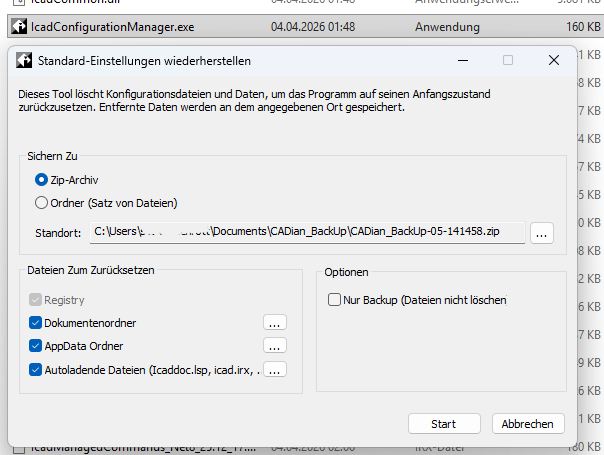
The file IcadConfiguratorManager.exe is located in the CADian program directory.
After launching this tool, the following functions are available:
- Creation of a backup of the complete CADian profile
(including all relevant registry entries) - Full reset of the profile to factory settings
It is recommended to always create a backup of the existing profile before performing a reset, so that individual settings can be restored if necessary.